Fill Out I-9 Form Online
Start with an official blank form. No upload needed.
Open the blank Form I-9 PDF and manually add text, checkmarks, and dates in your browser. Review your entries and download a PDF copy for your employer's completion process. JustFillForm helps you place answers on the document; it does not verify employment eligibility or submit the form.
Choose Your Own PDF
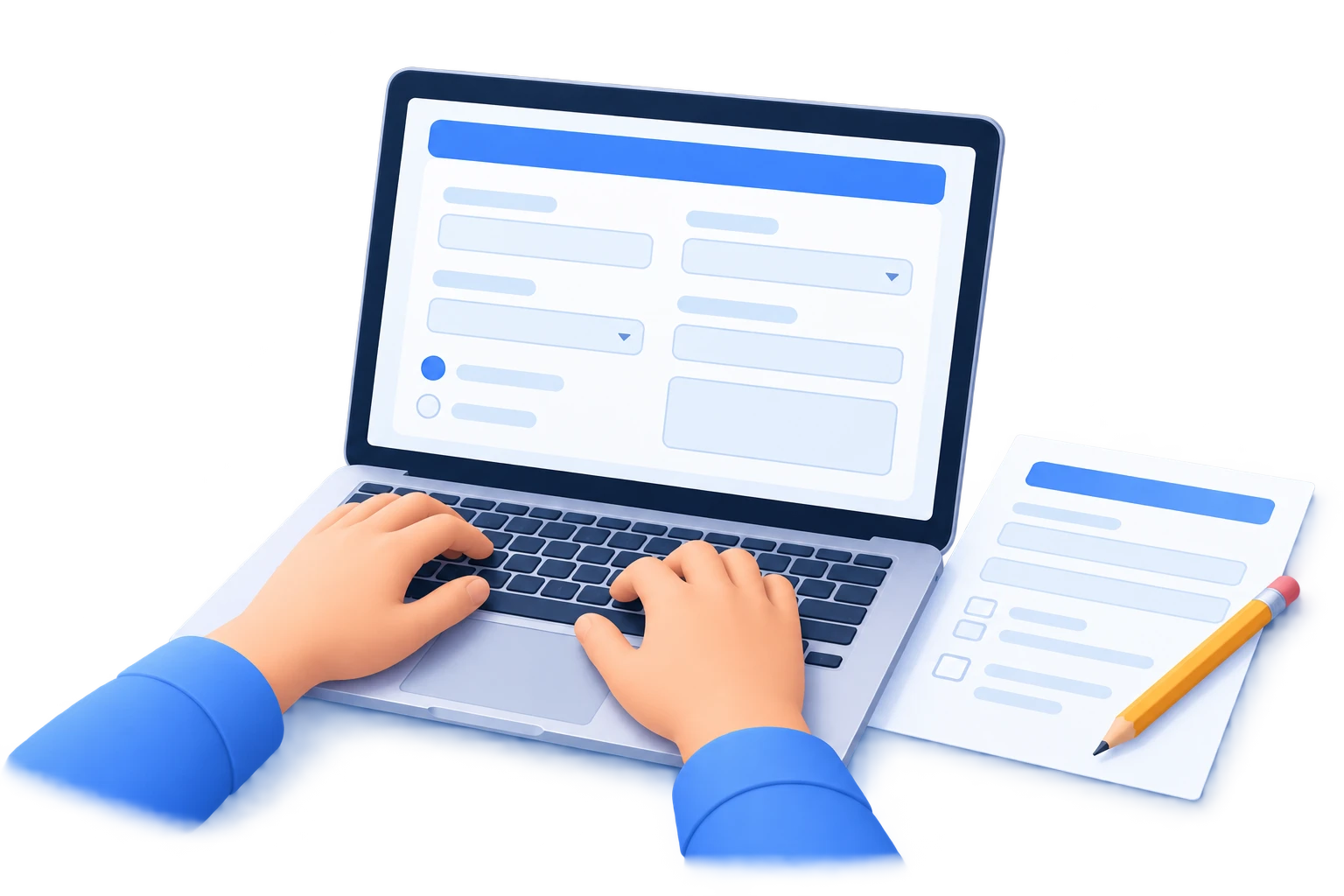
Already have an I-9 file? Select it below. Your document is processed in your browser.
A PDF Tool to Fill Out Your I-9 Form
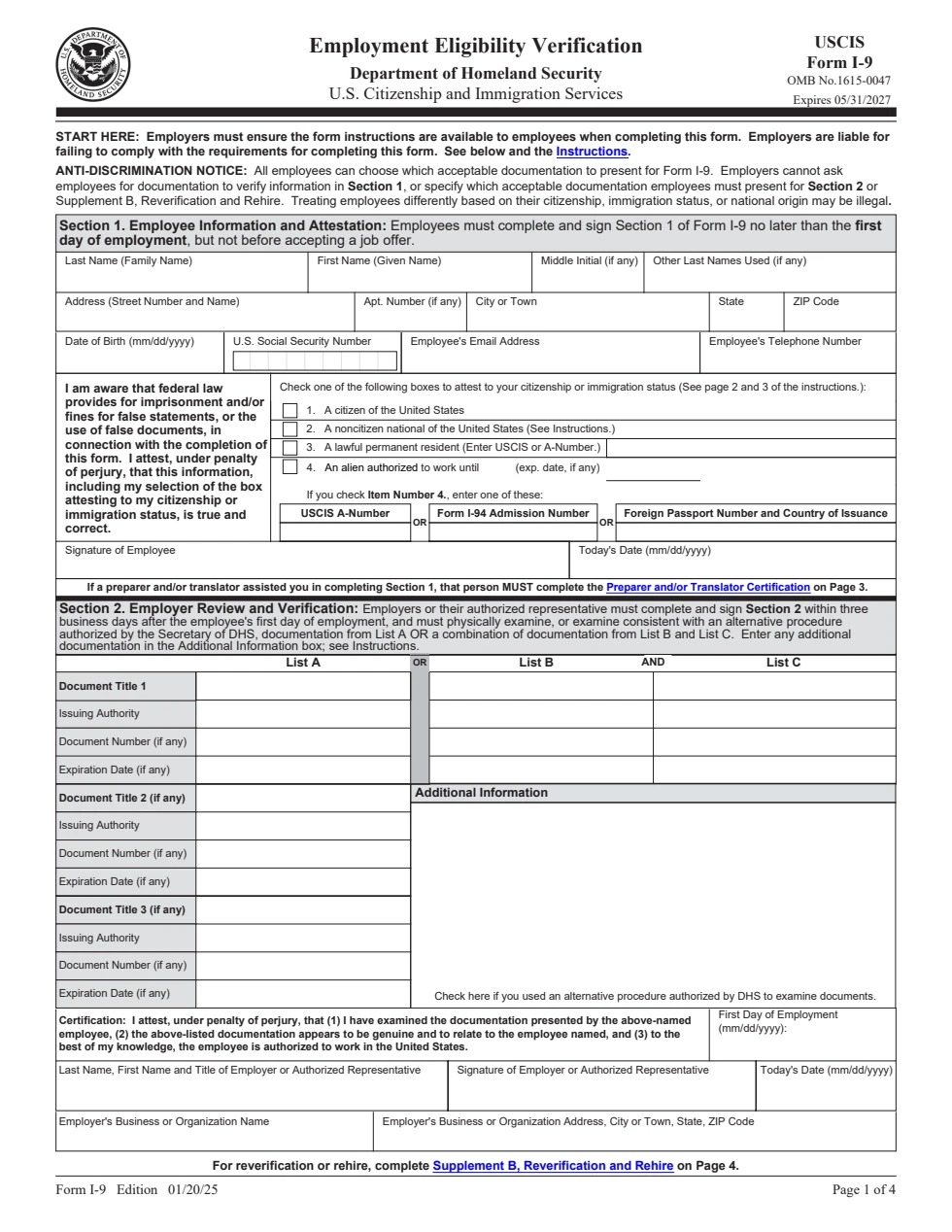
Form I-9, Employment Eligibility Verification, is a USCIS form used in the employment eligibility verification process. This page opens an official blank copy so you can place visible answers on it. Refer to the linked USCIS instructions and your employer's process for completion requirements.
An official blank PDF as your starting point
The supplied copy is edition 01/20/25, with printed expiration 05/31/2027. The source was checked on 2026-10-08. Use the official source link to check for later updates.
Manual placement, with you in control
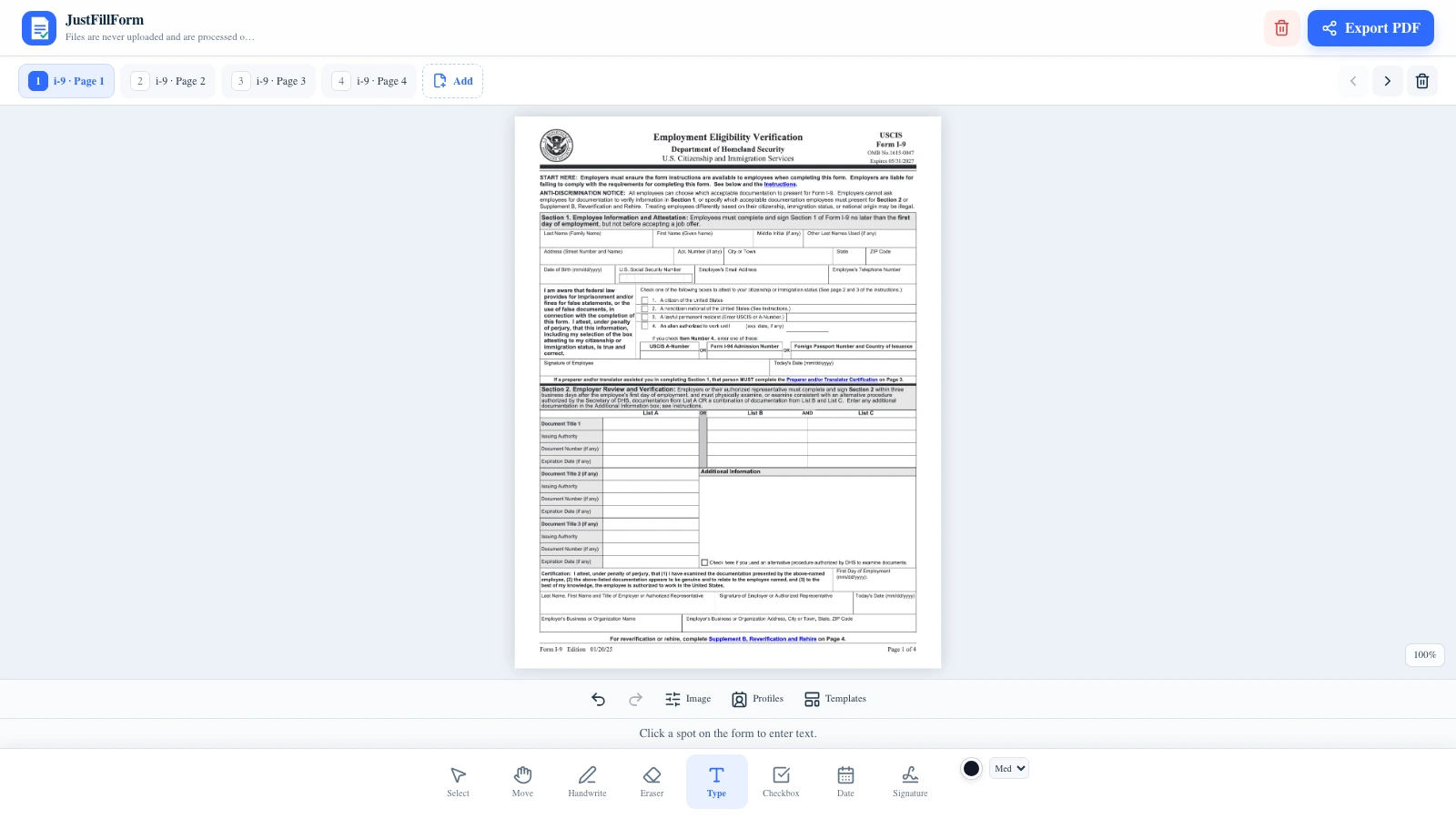
Click where you need an answer, type it, and adjust its position or size. This is not an automatic field-filling or eligibility-checking service.
The employer's process still matters
Employees and employers have different parts to complete. Preparing a PDF here does not perform the employer's document review, E-Verify, or required recordkeeping.
See the Form Before You Start
Employee and employer sections are separate
Section 1 is labeled Employee Information and Attestation. Section 2 is labeled Employer Review and Verification. Follow the official instructions for the part you are completing.
Place text without changing the blank source
Your entries appear as editable marks in the editor. The downloaded PDF contains rendered pages with your visible marks, rather than reusable interactive form fields.
Tools for Filling the I-9 PDF
Prepare visible entries, then check the finished pages yourself.
Type and reposition answers
Add text where it belongs, then move, resize, recolor, or remove it before export.
Place checkmarks
Add a visible checkmark to the option you choose. The editor does not select an answer or validate your choice.
Add and review dates
Place dates on the page and review their values and format against the official instructions.
Draw visible signature marks
The editor can add a drawn mark. This does not verify identity or make this tool a compliant electronic I-9 signature system. Follow your employer's signing process.
Review all four pages
Switch between the main form, document list, and supplements. Consult the instructions to decide which parts apply to your situation.
Download a PDF copy
Export the rendered pages with your entries. You control how the file is printed or shared; the editor does not send it to an employer or agency.
How to Fill Out an I-9 Form Online
A short workflow for preparing your PDF copy.
Open the blank I-9
Select Start Filling I-9 to open the supplied official PDF. If you already have a file, choose your own PDF instead.
Place answers in the appropriate section
Use the text tool to click and type on the page. Add checkmarks or dates as needed, following the linked USCIS instructions and your employer's directions.
Review the pages
Check every visible entry, its position, and the form version. Review is manual; JustFillForm does not check eligibility, required fields, or legal compliance.
Download and follow your employer's process
Export a PDF copy. Follow your employer's requirements for signing, document review, delivery, and retention.
Before You Export
- •Read the official instructions before completing the form.
- •Use only your own accurate information; do not copy sample answers.
- •Check that text and marks are aligned and readable on every relevant page.
- •Handle the downloaded file carefully because an I-9 may contain sensitive personal information.
PDF preparation is one part of the process. JustFillForm is not affiliated with USCIS and does not provide legal advice.
Choose How to Start
Both entry points use the same manual PDF editor. Pick the one that matches the file you have.
| Starting options | Start with the blank I-9 The supplied official copy | Choose your own PDF A file you already have |
|---|---|---|
Finding a PDF first What you need before entering the editor | No file needed | Select a file from your device |
Form version How the starting copy is chosen | Supplied edition 01/20/25 | Check the version of your file |
Filling method How answers are added | Manual text and marks | Manual text and marks |
Employer review and submission Work outside this PDF editor | Follow your employer's process | Follow your employer's process |
When This I-9 Filler Is Useful
For preparing a PDF, with the required review and signing handled through your employer.
You need a blank form to type on
Start from the supplied official copy instead of finding, downloading, and selecting a PDF first.
Your employer gave you a PDF
Choose that file to work on the copy your employer provided. Check their requirements before changing or exporting it.
You are using a phone
Open the same browser editor on mobile. Zoom in when placing answers and review the exported pages for readability.
Official I-9 Sources
USCIS publishes the form and its completion instructions. These sources support the form information on this page.
Official Form I-9 PDF
The source of the supplied blank form. Check USCIS for the latest published copy before use.
Open the official PDF“Employment Eligibility Verification”
— U.S. Citizenship and Immigration Services (USCIS)
Instructions for Form I-9
USCIS instructions explain the employee and employer responsibilities and completion process.
Read the official instructions“Ensure that the employee completes Section 1.”
— U.S. Citizenship and Immigration Services (USCIS)
Questions About Filling Out an I-9 Form
What this PDF tool can help you do.
Can I fill out an I-9 form without uploading a PDF?
Yes. Start Filling I-9 opens the supplied official blank PDF directly in the editor. You can manually place answers on it without finding and selecting a file first.
Which version of Form I-9 opens?
The supplied copy is edition 01/20/25, with printed expiration 05/31/2027. Its official source was checked on 2026-10-08. Consult the linked USCIS source for later updates.
Can I use the I-9 PDF my employer supplied?
Yes. Choose Your Own PDF lets you select a file from your device and use the same manual editing tools. Follow your employer's directions for which copy and process to use.
Does the editor fill in the answers automatically?
No. You place text, checkmarks, dates, and other visible marks yourself. The editor does not automatically fill PDF fields or validate your answers. The exported copy contains rendered pages rather than reusable interactive fields.
Does adding a drawn signature complete the I-9 process?
A drawn mark is a visible annotation, not identity verification or a guarantee of a compliant electronic I-9 signature. Follow your employer's signing and verification process and the official USCIS instructions.
Does JustFillForm send the completed I-9 to USCIS or my employer?
No. The editor downloads a copy to your device. It does not submit forms, review identity documents, run E-Verify, or manage employer records.
Are my answers processed in the browser?
The selected document and the marks you add are processed in your browser. Opening the supplied blank template downloads that public file from this site. Normal page assets and site services may still make network requests.
What happens to an existing editor draft?
If your editor already has pages, starting the blank I-9 asks you to confirm replacement. Cancel keeps your draft. The draft is replaced only after the blank form imports successfully; you can export it before starting a new form.
Ready to Fill Out Your I-9 Form?
Open the blank official PDF, place your answers, and review your copy before following your employer's process.
Manual PDF preparation only. No eligibility verification, agency submission, or compliance guarantee.