Online PDF Form Filler — Fill and Sign Without Printing
JustFillForm is an online PDF form filler for scans, PDFs, and form photos. Add your answers and a drawn signature, then download a copy without printing. Document contents stay on your device.
Place text and marks manually. Downloads are flattened copies, not interactive PDF forms.
Free to start · No account required · Documents stay on your device
From a blank form to a completed copy
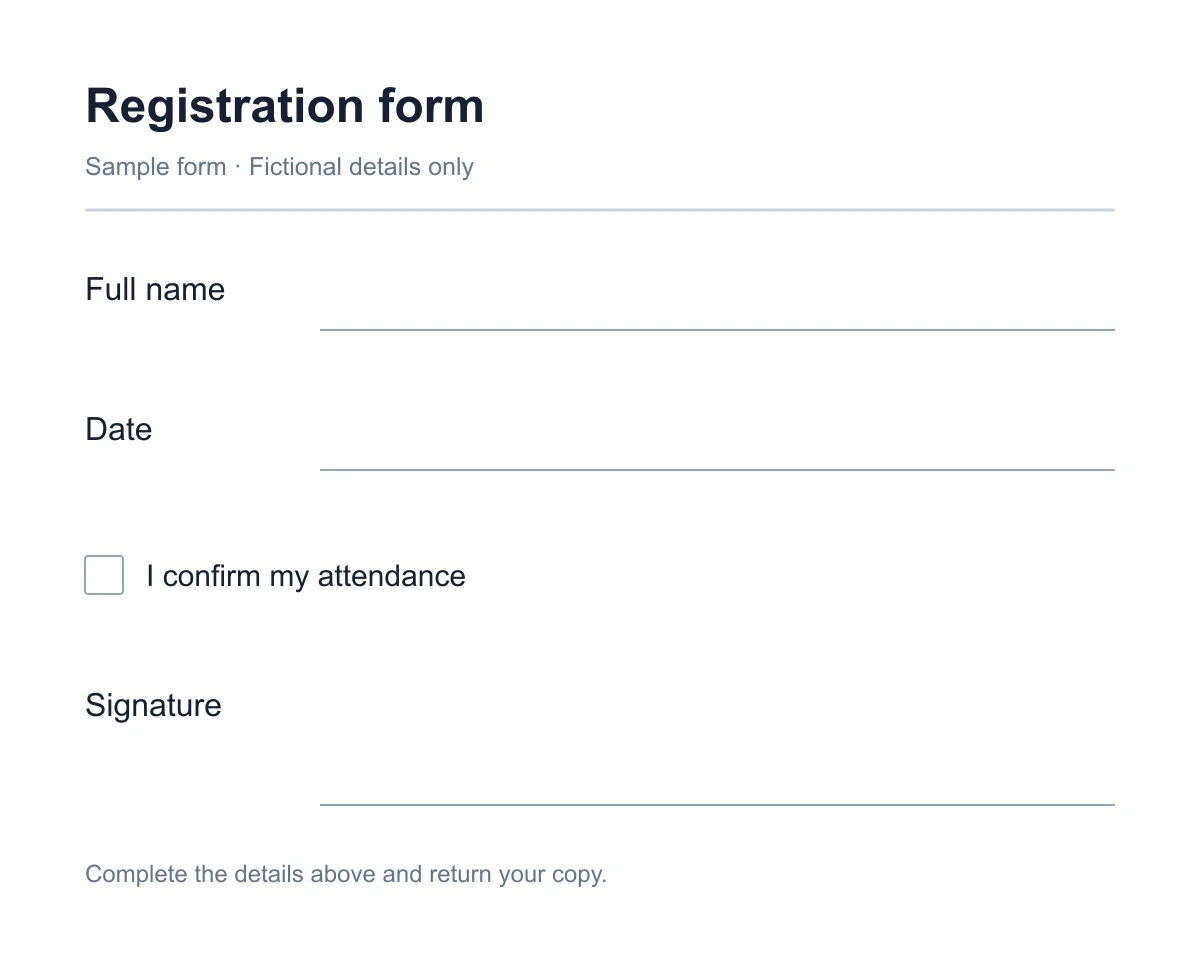
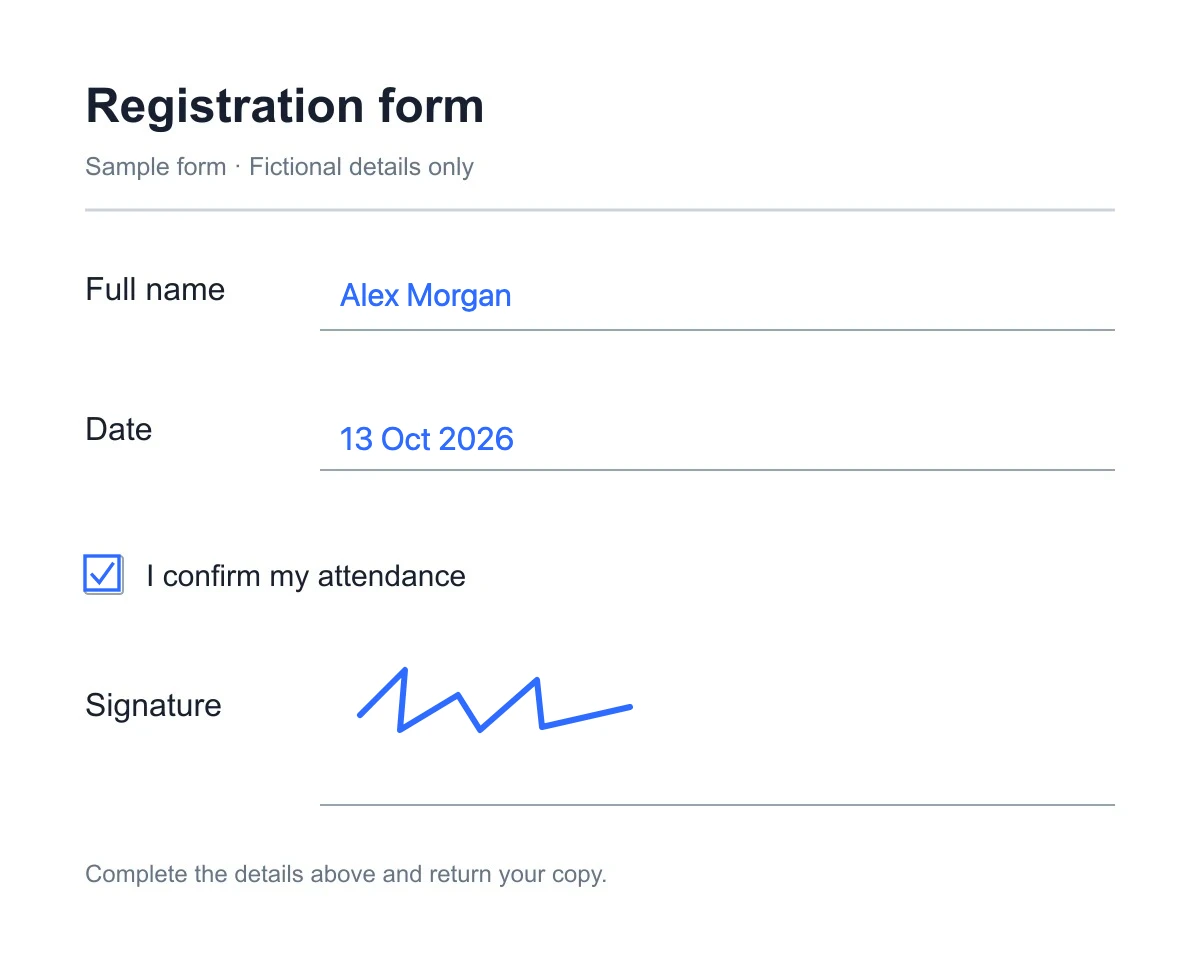
Fictional details on a sample form, exported from JustFillForm. Try the sample or download the completed PDF.
Download the completed sample PDFPDF form filler at a glance
Check formats, limits, download options, and costs before you start.
- Supported files and limits
- PDF, JPG, PNG, and WebP, including scans and form photos. Up to 50 MB per PDF; select up to 30 pages.
- Filling and downloads
- Place answers manually. Download the current page as PNG or all pages as a PDF of flattened page images. Native fields are not recognized automatically.
- Free and paid use
- Basic filling and PNG/PDF downloads are free without an account. Saved profiles and personal templates require an account and a paid plan.
- Local storage
- Drafts, profiles, and templates stay in the current browser and do not sync between devices. Clearing site data can remove them.
Three steps to a form ready to send back

Choose your form
Choose your file. For a PDF, select the pages to open.
Fill, sign, and check
Place your answers and signature, then check their positions.
Download and send
Download the finished file and send it using your own email or messaging app.
Skip the printing and scanning
Complete the paperwork in your browser when you would otherwise need a printer and scanner.
Paper workflow
- Fill and sign
- Scan
- Send
Find a printer, fill the paper copy, and scan it before sending.
With JustFillForm
- Open
- Fill and sign
- Download
- Send
Use the PDF form filler on your phone or computer, then send the downloaded copy.
Fill Scanned and Non-Fillable PDF Forms
Use the PDF form filler to place answers manually on blank lines and boxes. Export a flattened copy when you are done.
Fill names and addresses
Place text on blank lines and adjust its size and position.
Draw signatures and handwriting
Draw with your finger, stylus, or mouse.
Add checkmarks and dates
Complete confirmation boxes, choices, and date fields.
Choose the pages you need
Select up to 30 PDF pages; enter a password locally if needed.
Review and correct answers
Move, resize, recolor, undo, redo, or remove added content.
Download your completed copy
Export the current page as PNG or combine all pages into one PDF.
Your documents stay on your device
The PDF form filler opens, edits, and exports documents in your browser. Normal page assets can still use the network.
| Features | Your device Browser processing | Our processing server Document contents |
|---|---|---|
Selected files PDF, JPG, PNG, or WebP | Opened locally | Not uploaded |
PDF password For protected PDFs | Used in memory only | Never sent or saved |
Draft recovery Same device and browser | Saved in browser storage | Not stored |
Finished copy PNG or combined PDF | Generated and downloaded locally | Not processed |
Verified in a Real Browser
Repeatable checks of the PDF form filler using generated documents in a controlled browser.
Document upload
No document upload request observed
A three-page PDF is imported and exported without its test marker appearing in an observed request.
Page selection
Selected page opens correctly
Only page 2 of a three-page PDF is selected and opened in the editor.
Local draft
Restores in the same browser
A saved draft reopens after visiting the homepage in the same browser.
Local export
PNG and PDF downloads are valid
The editor produces valid PNG and PDF downloads locally.
These checks verify specific product behavior, not security certification, legal acceptance, or compatibility with every document. PDF and PNG imports are covered; JPG and WebP are also accepted.
Last verified:
Forms for everyday tasks
Prepare the forms you receive at work, at school, or while away from your desk.

Business and HR paperwork
Complete onboarding forms, requests, timesheets, and checklists.
School and activity forms
Complete registrations, permission slips, and course documents.
Personal forms on the go
Finish a form from your phone or computer while away from your desk.
Reuse details and layouts for recurring forms
Saved profiles and personal templates require an account and a paid plan. Both stay in this browser and do not sync between devices.
Keep your usual details ready
Save common details, then click a profile field to insert its value while filling.
Reuse a form layout
Save a prepared layout with the profile fields you have explicitly bound to text positions.
Frequently asked questions
Answers about limits, privacy, scans, drafts, and exports.
Can I fill a scanned or non-fillable PDF form?
Yes. The PDF form filler lets you place text and marks over a scan or flat document manually. It does not automatically recognize or fill native PDF form fields.
Can I edit original PDF text or use OCR?
No. This PDF form filler does not edit original text, run OCR, or create interactive form fields. It adds visible content over the page.
Which files can I use, and what are the limits?
Import PDF, JPG, PNG, or WebP. PDFs can be 50 MB; select up to 30 pages.
Can I open a password-protected PDF form?
Yes. Enter the password locally. It stays in memory and is never saved or uploaded.
Can I add a signature?
Yes. Draw a signature with your finger, stylus, or mouse. Confirm that the recipient accepts a drawn signature on the completed file.
How do I download and send the finished file?
Export the current page as PNG or all pages as one PDF containing flattened page images with your additions. The copy has no interactive form fields. Download it and send it using your own email or messaging app.
Where is my draft saved?
Drafts are saved locally in the current browser. Clearing site data, private browsing, or switching devices can remove access. Document contents are not uploaded to our servers.
Is this PDF form filler free to use?
Basic form filling and PNG/PDF downloads are free without an account. Saved profiles and personal templates require an account and a paid plan.
Fill your form and get it ready to send back
Use the PDF form filler to complete a scanned form or PDF in your browser. Basic filling and downloads are free without an account; document contents stay on your device.